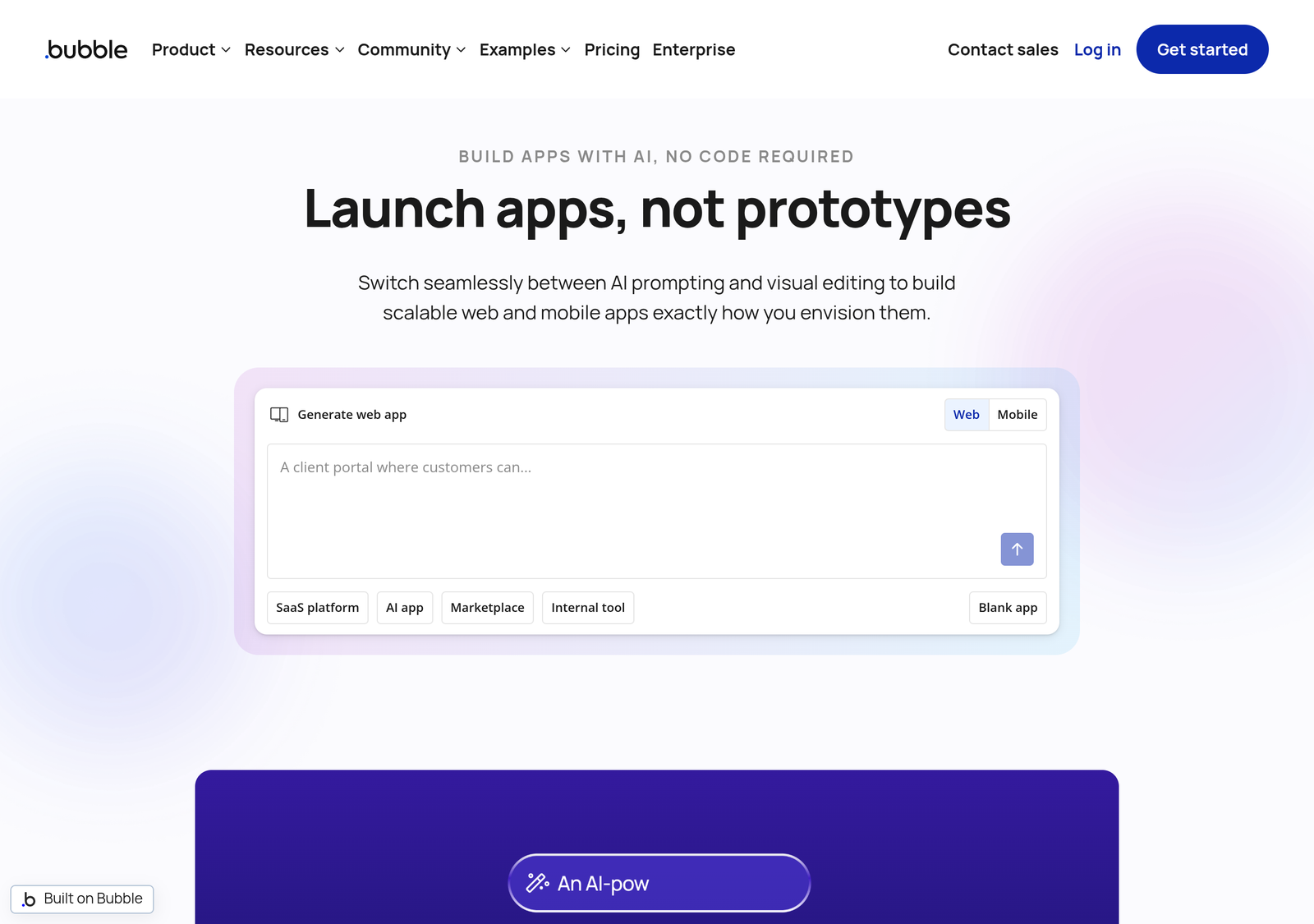
Bubble is a no-code platform for building full web applications — not just landing pages or simple sites, but functional apps with databases, user logins, and workflow logic, built visually instead of with traditional code.
Quick Verdict
Bubble is the right tool for a non-technical founder validating a SaaS or marketplace idea before investing in custom development, or a small team building an internal tool without dedicated engineering resources. It’s the wrong tool for anything with extreme performance requirements or highly custom technical needs that don’t fit its visual workflow model.

- Lets non-developers ship a functional app with database, logins, and workflows in days
- Capterra rates it 4.6/5 across 333 reviews
- Trustpilot sits at just 1.7/5, dominated by billing complaints
- Workload Unit pricing has made some apps “financially unsustainable” to run at scale, per real user reports
Pricing
| Plan | Price (annual billing) | Workload Units/month | Notable |
|---|---|---|---|
| Free | $0 | 50,000 | No custom domain, no live publishing |
| Starter | $29/mo | 175,000 | Custom domain support unlocked |
| Growth | $119/mo | 250,000 | Recurring workflows, premium version control, 2FA, 2 app editors, 10 custom branches |
| Team | $349/mo | 500,000 | Team roles, 5 app editors |
These figures are third-party sourced and could not be independently confirmed against Bubble’s own pricing page directly, which did not return accessible pricing content when we checked it. They’re corroborated across several independent third-party sources describing the same plan structure, so we’re presenting them as reasonably reliable — but confirm current numbers on bubble.io before budgeting against them, particularly since Bubble’s move to a “Workload Unit” consumption model is a meaningfully different pricing structure than a flat per-seat subscription, and one worth understanding before committing.
Separate mobile-only plans reportedly range from roughly $42-449/month, and combined web-plus-mobile plans from roughly $59-549/month, with custom Enterprise pricing above that. The free tier’s inability to publish on a custom domain or go live is the real ceiling — it’s for building and testing, not launching.
Which Bubble plan fits your build?
Answer four questions about your project. The scoring is shown below the recommendation — nothing hidden.
You’re still testing and haven’t hit a limit the free tier can’t handle.
Method: each answer adds points to one or more plans (shown in the bars above as Free / Starter / Growth / Team, left to right). The plan with the highest total is recommended; ties go to the cheaper plan. Pricing is Bubble’s reported annual-billing rates as covered above — third-party sourced and worth confirming on bubble.io before you commit.
Real-World Use Cases
- A non-technical founder validating a marketplace idea builds a working MVP with user accounts, listings, and payments on Bubble before spending on custom development, testing demand before committing real engineering budget.
- A small team automating an internal process builds a booking or approval tool on Starter or Growth, avoiding a custom-built internal app that would otherwise require dedicated engineering time.
- An app that unexpectedly goes viral hits Workload Unit costs scaling directly with traffic — a real risk that pushes a team to seriously evaluate a custom-coded rebuild once usage passes what any Bubble tier comfortably covers.
What Bubble Actually Builds
Unlike website builders (Wix, Squarespace) that are built for content sites, Bubble is built for application logic: think a marketplace, a SaaS tool, a booking platform, or an internal business tool — things that need a database, user accounts, and custom workflows, not just pages of content.
| Feature | What it enables |
|---|---|
| Visual workflow builder | Define app logic ("if this happens, do that") without writing code |
| Built-in database | Store and query structured data without a separate backend |
| User authentication | Login, signup, and permissions out of the box |
| Plugin ecosystem | Extend functionality — payments, APIs, integrations — without custom code |
The Real Trade-Off
Bubble lets a non-developer build something that would otherwise require hiring an engineering team — but it comes with a real learning curve of its own (workflow logic still takes genuine time to learn well), and apps can hit performance and cost limits at scale that a custom-coded app wouldn't. The Workload Unit pricing model specifically means cost scales with actual usage rather than a flat seat price, which can be an advantage for a low-traffic internal tool and a real cost risk for something that grows unexpectedly popular. It's a genuine trade between speed-to-launch and long-term flexibility, not a free lunch in either direction.
Who It's a Good Fit For
Non-technical founders validating a SaaS or marketplace idea before investing in custom development, and small teams building internal tools without dedicated engineering resources. Less suited to applications with extreme performance requirements or highly custom technical needs that no-code workflows can't express cleanly — at that point, the visual builder's constraints become the limitation rather than the convenience.
Pros and Cons
| Pros | Cons |
|---|---|
| Builds real applications — databases, logins, workflows — not just content pages | Pricing figures are third-party sourced; Bubble's own pricing page did not return accessible content when checked |
| Workload Unit pricing can be cheaper than a flat seat price for a low-traffic internal tool | Same Workload Unit model is a real cost risk if an app grows unexpectedly popular |
| Free tier is genuinely useful for testing and learning before committing to a paid plan | Free tier can't publish on a custom domain or go live — testing only, not launching |
| Lets a non-developer ship something that would otherwise require an engineering team | Real learning curve to its visual workflow logic — not instantly productive |
Detailed Analysis
Workload Units cut both ways
Consumption-based pricing is a genuine departure from the flat per-seat model most SaaS tools use, and it's worth understanding before committing rather than assuming it behaves like a normal subscription. For a low-traffic internal tool, it can mean paying less than a flat-rate competitor would charge, since you're not paying for capacity you don't use. For anything with growth potential — a public-facing app, a marketplace, a tool that could go viral — it means costs scale directly and unpredictably with success, which is the opposite of what a flat-rate plan would do. Model your expected usage against the published Workload Unit allowances before assuming any tier "fits" long-term.
The trade-off no-code always carries
Beyond pricing, building on Bubble means your application lives entirely inside Bubble's proprietary workflow engine — there's no framework-level code to hand to a developer or self-host elsewhere if you ever want out. That's the general trade every no-code platform makes, not a Bubble-specific flaw; see our breakdown of what no-code vendor lock-in actually means for how to weigh it before building something business-critical on any visual builder.
The free tier is a testing ground, not a launch plan
Bubble's free tier is genuinely useful for learning the platform and building out a first working version, but its inability to publish on a custom domain or go live is a hard ceiling, not a soft limitation. Anyone planning to actually launch needs to budget for Starter at minimum from day one of planning — the free tier answers "can I build this," not "can I ship this," and conflating the two leads to an unpleasant surprise right before launch.
Our Rating, and How We Reached It
| Criteria | Score | Why |
|---|---|---|
| Capability for non-developers | 9/10 | Genuinely lets a non-technical founder build a functional application with a database, logins, and workflows. |
| Pricing transparency | 5/10 | Figures are third-party sourced and corroborated across sources, but not directly confirmed on Bubble's own pricing page. |
| Cost predictability | 5/10 | Workload Unit pricing scales with usage, which is fair for low-traffic tools but a real risk for anything that grows fast. |
| Learning curve | 6/10 | No code required, but the visual workflow logic takes genuine time to learn well — not an instant-productivity tool. |
Overall: 7.0/10. A strong choice for validating an app idea or building an internal tool without engineering resources, with real caveats around cost predictability at scale and unconfirmed pricing that's worth checking directly before committing.
PROOF Score
Overall: 6.0 / 10 — Conditional. Scored under our PROOF methodology — five checkable pillars, not a vibe.
Should You Buy Bubble?
- Start on Free to learn the platform and build a first version — but budget for Starter before you plan to actually launch, since Free can't go live on a custom domain.
- Buy Starter or Growth if you're validating a SaaS or marketplace idea and want to launch without hiring engineers first.
- Model your Workload Unit usage carefully before committing if your app has real growth potential — costs scale with traffic in a way a flat-rate plan wouldn't.
- Confirm current pricing directly on bubble.io before budgeting — the figures here are third-party sourced, not independently verified against a live vendor page.
Frequently Asked Questions
Can Bubble apps scale to real production traffic?
Many real businesses run on Bubble at meaningful scale, though Workload Unit costs and performance considerations increase directly with traffic — evaluate current plan tiers against your actual expected usage rather than assuming the entry tier scales indefinitely.
Do I need to know how to code to use Bubble?
No coding is required, but there's a genuine learning curve to its visual workflow logic — budget real time to learn it properly rather than expecting to be productive immediately.
What's the practical difference between Starter and Growth?
Beyond the higher Workload Unit allowance, Growth adds recurring/scheduled workflows and supports a second app editor with version control — relevant the moment more than one person needs to work on the app simultaneously, or the app needs to run logic on a schedule rather than only in response to user actions.
How We Assessed This
Bubble's core feature set is drawn from its own product materials. Its specific pricing figures could not be verified directly against a live vendor pricing page and are reported here as third-party sourced, corroborated across multiple independent sources but flagged rather than presented as directly confirmed. Disclosure: this page contains no affiliate links currently — the product URL is a plain link.
Related
- Webflow review — design-led sites rather than app logic
- Best Website Builders 2026: Building a Site vs. Building an App
- Uizard review — mockups only, nothing you can ship
Alternatives worth comparing