Executive answer: Sucuri is a cloud-based Web Application Firewall and malware-cleanup service. It’s a layer that sits in front of your site rather than a plugin that runs on it. It’s worth paying for if you want malicious traffic blocked before it reaches your server. It’s also worth it for the real team on the other end if a compromise gets through anyway. It is not a WordPress hardening plugin, and it doesn’t replace one — see the comparison below before assuming it covers everything.
Quick Verdict
| Best for | Sites that want traffic-level filtering plus a guaranteed cleanup team if something gets through |
| Not ideal for | A low-traffic personal site with nothing valuable to protect, or anyone expecting it to replace WordPress-specific hardening |
| Biggest strength | The malware cleanup team on Platform plans — most competitors leave cleanup to you |
| Biggest weakness | Per-site pricing with no published multi-site rate; every additional property means a sales conversation |
| Value for money | Strong on the Platform tiers if you’d otherwise pay a developer to clean up a hack; weak if you’re paying for a firewall alone and never need it to trigger |
| Overall | Recommended for sites with real stakes; skip for a hobby blog |

- Traffic-level firewall filtering plus a real human cleanup team
- Platform pricing compares favorably to a one-off emergency cleanup bill
- A documented 5-week unresolved incident with repetitive “site is clean” responses
- G2 rates it 3.3/5 — below comparable competitors — and its 12-hour guarantee has been disputed by customers
What Sucuri Actually Is
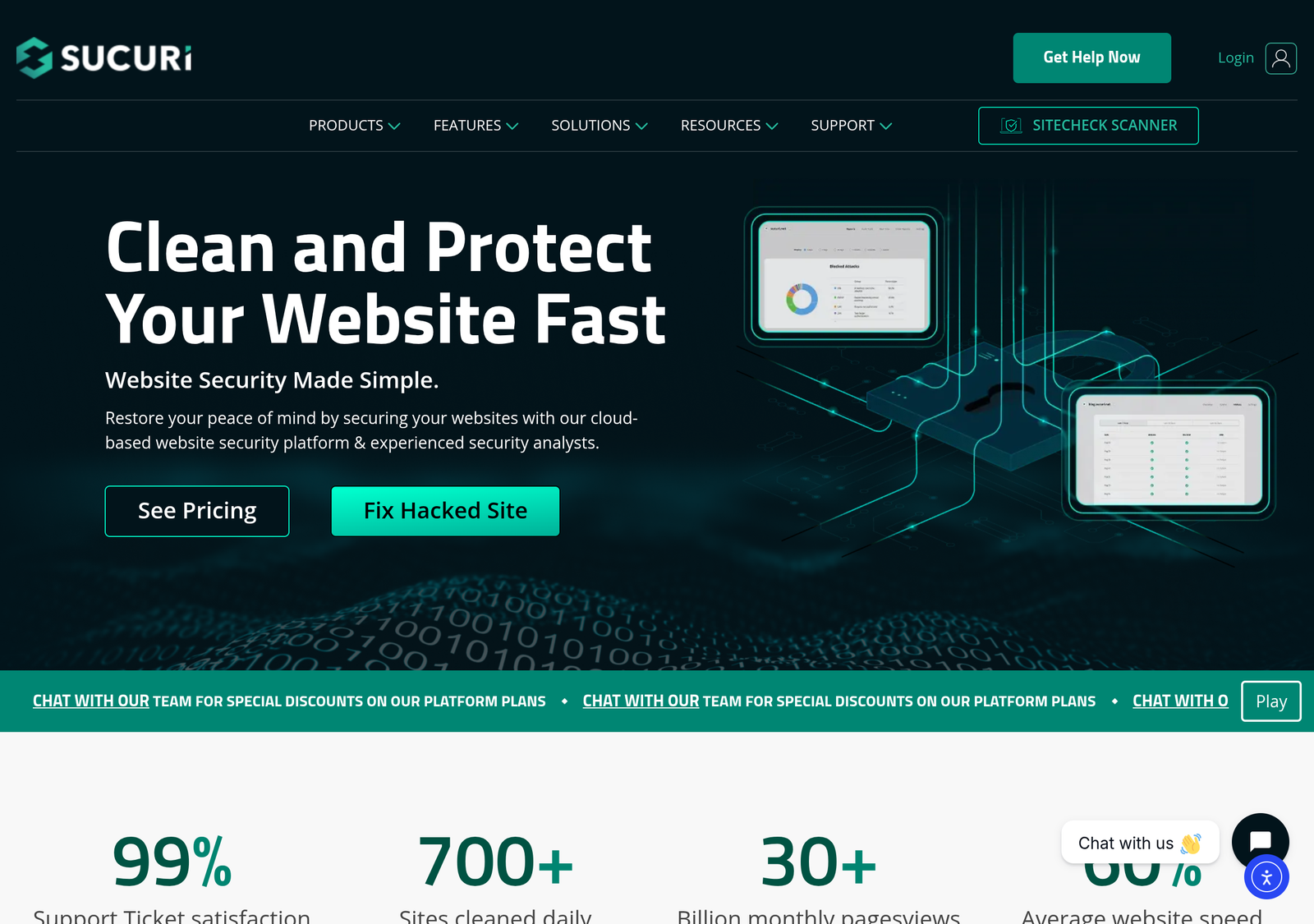
Sucuri sells two distinct things, priced and sold separately. Firewall/CDN plans put a reverse proxy in front of your site. Malicious requests get filtered before they ever reach your server, and legitimate traffic gets a CDN speed benefit as a side effect. Security Platform plans add continuous malware monitoring and, critically, a human cleanup team. If your site does get compromised, Sucuri’s staff remove the malware. You don’t have to do it yourself, and you don’t have to hire someone who will.
That distinction matters more than it sounds. A firewall reduces the odds of a compromise; it doesn’t promise zero compromises. The cleanup guarantee on Platform plans is the actual product being sold at that price point, not an add-on feature.
Key Features
- Reverse-proxy firewall. Traffic is filtered before it reaches your origin server, at the DNS level. This works regardless of what your site is built on — WordPress, Laravel, or anything else.
- CDN layer. Included on the firewall plans, caching static content globally and reducing load on your origin server as a byproduct of the security architecture.
- Malware monitoring and removal. Platform-tier only. Continuous scanning, with a real team performing the actual cleanup if something is found. You get a fixed problem, not a to-do list.
- DDoS mitigation. Bundled into the same firewall layer that blocks malicious requests generally.
- Blacklist monitoring and removal assistance. If your site gets flagged by Google Safe Browsing or similar after a compromise, Sucuri assists with getting it delisted once cleaned.
Real-World Use Cases
- An agency managing 15 client WordPress sites puts the highest-risk 3-4 sites (ecommerce, sites handling customer data) on a Platform plan each. It relies on a hardening plugin alone for the lower-stakes brochure sites. That’s a tiered risk approach rather than uniform coverage.
- A site that was hacked once already moves to a Platform plan specifically for the cleanup guarantee. The annual cost becomes insurance against a repeat incident that would otherwise mean an emergency developer bill.
- A non-WordPress site — a custom PHP application, a Laravel app — uses Sucuri’s firewall for a specific reason. It operates at the DNS level rather than as a CMS-specific plugin. For a non-WordPress stack, that’s often the only route to this kind of protection.
Pricing
| Plan | Price | What it covers |
|---|---|---|
| Basic Firewall | $9.99/mo | WAF + CDN, 1 site |
| Pro Firewall | $19.98/mo | WAF + CDN, expanded features, 1 site |
| Basic Platform | $229/yr | Firewall + malware monitoring and removal, 1 site |
| Pro Platform | $339/yr | Firewall + malware removal, faster response, 1 site |
| Business Platform | $549/yr | Firewall + malware removal, priority support, 1 site |
Every plan applies to one site. Sucuri’s own pricing page directs multi-site buyers to contact sales for volume pricing rather than publishing a fixed multi-site rate. Budget for a sales conversation, not a self-serve checkout, once you’re protecting more than one property.
Estimate your annual cost
Sucuri publishes single-site pricing only; this multiplies that published rate by site count as a same-tier estimate. Real multi-site pricing requires contacting Sucuri sales and may be lower per site at volume — treat this as an upper bound, not a quote.
Feature/Value Comparison: Sucuri vs. a WordPress Security Plugin
| Sucuri | WordPress security plugin (e.g. Solid Security) | |
|---|---|---|
| What it protects | Traffic in front of your server | The WordPress install itself |
| Malware cleanup | Included on Platform plans, done by a team | Typically self-service, or a paid add-on |
| Setup | DNS-level, works regardless of CMS | WordPress-specific plugin install |
| Cost | $9.99+/mo firewall, $229+/yr platform | Often cheaper per site, no CDN |
| Multi-site pricing | Not published — sales conversation required | Usually published, tiered by site count |
This is the broader self-hosted-vs-SaaS trade-off playing out in the security category specifically — see our general breakdown of when self-hosting actually saves money for how that calculation holds up outside of WordPress too.
Pros and Cons
| Pros | Cons |
|---|---|
| Traffic-level filtering blocks attacks before they reach your server | No published multi-site pricing — every additional site is a sales call |
| Real cleanup team on Platform plans, beyond a self-service scanner | Firewall-only plans include no cleanup at all if something gets through |
| Works with any CMS, WordPress included | More expensive than most WordPress-native plugins for a single low-risk site |
| CDN speed benefit bundled in, not a separate purchase | Doesn’t harden the WordPress install itself — still needs a plugin for that layer |
Alternatives
- Solid Security — hardens the WordPress install itself rather than filtering traffic in front of it; cheaper, and the free tier covers real fundamentals. Choose this over Sucuri if your budget is tight and your risk profile is modest; choose both together if it isn’t.
- Cloudflare — offers a comparable reverse-proxy firewall and CDN, with a genuinely free tier. Its free plan’s WAF rules are more limited than Sucuri’s paid tiers, though, and it has no cleanup-team offering at any price.
Detailed Analysis
Where the Platform tiers actually earn their price
The jump from Firewall-only ($9.99-19.98/mo) to Platform ($229+/yr) is not primarily about better firewall rules — it’s about the cleanup guarantee. An emergency WordPress malware cleanup from a freelance developer or agency frequently costs $200-500+ for a one-off job, more for a serious compromise. Priced against that, the Basic Platform tier at $229/year looks less like a subscription. It looks more like a fixed-price insurance policy against that exact bill, with prevention included as a bonus.
The multi-site pricing gap is a real planning problem
Unlike WPX, GreenGeeks, or Rank Math — all of which publish clear per-site or unlimited-site tiers elsewhere on this site — Sucuri’s pricing page stops at one site and routes everyone else to sales. For an agency trying to budget a client roster in advance, this is a genuine friction point. You cannot get an exact number without a conversation, and that’s unusual in a category where competitors increasingly publish transparent multi-site rates.
Firewall-only vs. Platform: the actual decision
It’s tempting to default to the cheaper Firewall-only tier and assume you’ll deal with a compromise if it happens. The problem with that reasoning: firewall filtering reduces the probability of a successful attack, but it doesn’t reduce it to zero. A WAF is defending against known and common attack patterns, and a novel or targeted attack can still get through. A compromise can be expensive in several ways: client trust, ecommerce revenue during downtime, SEO damage from a blacklisting. If any of those apply to you, the Platform tier’s cleanup guarantee is closer to a fixed insurance premium than an optional upgrade. If a compromise would be merely annoying rather than costly, Firewall-only is a reasonable, cheaper bet.
Frequently Asked Questions
Do I need Sucuri if I already have a security plugin?
Depends on what you’re protecting against. A plugin hardens WordPress itself. Sucuri filters traffic before it arrives and adds a cleanup team if something gets through anyway. For a site with real stakes, both together is the stronger posture. For a low-risk site, either alone may be proportionate.
Does Sucuri work with any CMS, not just WordPress?
Yes. The firewall operates at the DNS/traffic level, so it protects any site regardless of what it’s built on — unlike a WordPress-specific plugin.
What happens if my site gets hacked while on the Firewall-only plan?
The Firewall plans don’t include cleanup — that’s specifically a Platform-tier feature. If cleanup matters to you, budget for a Platform plan rather than Firewall-only from the start. Adding it after a compromise is a worse position to negotiate from.
How fast is the malware cleanup, in practice?
Sucuri’s own tier structure ties faster response specifically to the Pro and Business Platform tiers over Basic. That implies a real difference in queue priority between them. We could not independently verify exact hour-by-hour response times, so confirm current response-time commitments directly with Sucuri before assuming a specific SLA.
Is Sucuri worth it for an ecommerce site specifically?
Generally yes, more than for most other site types. An ecommerce store combines two risk factors at once. It’s a more attractive target (payment data, customer records), and downtime has a direct, measurable revenue cost. The Platform tiers’ cleanup guarantee matters more here than almost anywhere else. A compromised checkout page is a security incident first. But it can also become a PCI compliance problem and a customer-trust problem at the same time. Price the Business Platform tier against even a single day of lost sales during a compromise-driven outage before deciding it’s too expensive.
Will Sucuri slow my site down?
The reverse-proxy architecture adds a network hop. But the bundled CDN typically offsets that cost for most visitors by serving cached content from a location closer to them. The net effect on a typical site is neutral to positive rather than a meaningful slowdown. The specific result still depends on your existing hosting and caching setup.
Can I cancel and switch to a plugin later without losing anything?
Yes. Sucuri operates independently of your WordPress install, so cancelling removes the traffic-level protection but doesn’t touch your site’s files or configuration. There’s no migration cost or lock-in beyond the subscription itself.
How We Scored This
We score on four criteria, each out of 10. Each is evaluated against what a security-conscious small business or agency actually needs, not against enterprise SOC requirements.
| Criterion | Score | Why |
|---|---|---|
| Protection depth | 8/10 | Traffic-level filtering plus a real cleanup team is a genuinely strong combination; loses points only for firewall-only tiers offering no cleanup at all |
| Pricing transparency | 5/10 | Single-site pricing is clear and published; multi-site pricing is entirely opaque, requiring a sales call |
| Ease of setup | 7/10 | DNS-level setup is straightforward for a technical user, less so for a non-technical one without support |
| Value at single-site scale | 7/10 | Platform pricing compares favourably to a one-off emergency cleanup bill; firewall-only is a harder value case |
Overall: 6.75/10. Methodology: each criterion was scored independently against the evidence above. That evidence is published pricing, a feature comparison against the plugin category, and the specific value of the cleanup guarantee against its real-world alternative cost. Evaluated August 2026. Re-check before relying on this score if reading significantly later, since pricing and features in this category change.
PROOF Score
Overall: 5.8 / 10 — Conditional. Scored under our PROOF methodology — five checkable pillars, not a vibe.
Final Decision
- Choose Sucuri Platform if: you’ve been compromised before, or the cost of a compromise (client trust, ecommerce revenue, downtime) clearly exceeds $229-549/year.
- Choose Sucuri Firewall-only if: you specifically want traffic filtering and CDN speed, and you’re comfortable handling any cleanup yourself or via a separate arrangement.
- Choose a plugin instead (Solid Security) if: your budget is tight, your site is low-risk, and WordPress-specific hardening covers your actual threat model.
- Choose both if: the site genuinely matters and the combined ~$250-650/year is proportionate to what a compromise would cost you.
How We Assessed This
Every price above is taken directly from Sucuri’s own pricing page at the time of writing. Disclosure: this page contains no affiliate links currently — the product URL is a plain link.
Related
Compare with a popular alternative
From $9.99/mo (firewall); Platform plans from $229/yr
Stronger at: Traffic-level filtering blocks attacks before they reach the server, plus a real cleanup team on Platform plans
Main limitation: No published multi-site pricing — every additional site requires a sales conversation
Free; Pro from $99/year
Stronger at: Hardens the WordPress install itself, and the free tier covers real fundamentals
Main limitation: No traffic-level filtering, and no malware cleanup at any tier
Alternatives worth comparing